How To Design A Room
Designing your room is more than just cleaning up clutter. A well-designed room improves focus, boosts productivity, and creates a space that feels comfortable and visually balanced. However, many people struggle with how to design a room effectively, especially when layout, furniture placement, and interior style all come into play.
For most people, the challenge is not a lack of effort, but a lack of direction. You might know that your room feels messy or inefficient, yet still feel unsure where to start. Moving furniture randomly, buying storage solutions without a plan, or copying ideas from social media often leads to frustration rather than real improvement.
Thanks to modern AI technology, room design no longer relies solely on trial and error. With the help of AI Room Design, anyone can plan, visualize, and redesign their room in minutes—without professional design experience. Instead of guessing what might work, users can see realistic layouts and styles before making physical changes.
This guide will walk you through a structured, practical approach to designing your room. From clearing unnecessary items to planning layouts and choosing the right style, you’ll learn how to approach room design step by step—and how AI-powered tools can make the process faster, clearer, and far more effective.
What Is AI Room Design?
Understanding AI-Powered Room Planning
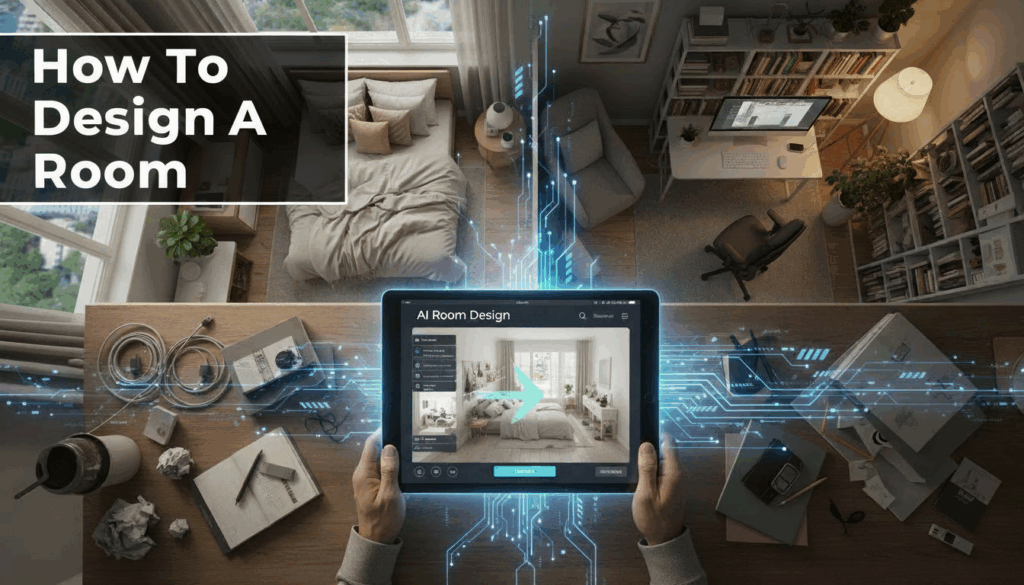
AI Room Design refers to the use of artificial intelligence to analyze room photos or layouts and automatically generate optimized interior design solutions. Instead of guessing where furniture should go or which style might work best, AI evaluates space proportions, lighting conditions, and room function to provide visual design suggestions.
At its core, AI Room Design helps users translate abstract ideas into concrete layouts. Many people know what they don’t like about their room but struggle to visualize improvements. By generating realistic previews, AI removes this mental barrier and turns room design into a visual decision-making process.
How AI Room Design Works in Practice
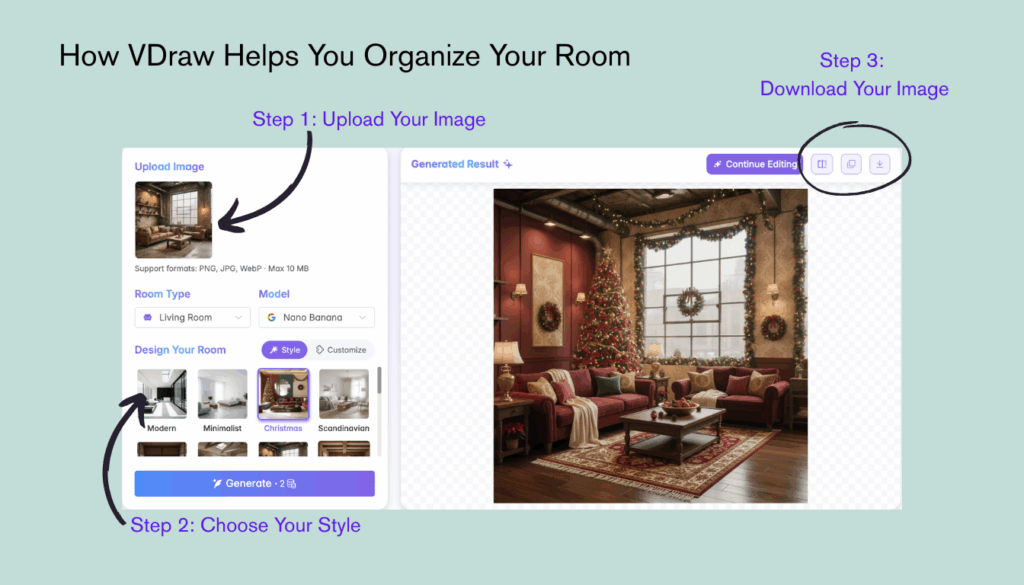
Most AI Room Design tools follow a simple workflow. Users upload a photo of their room, choose the room type, and select a preferred interior style. The AI then processes spatial data—such as wall structure, floor area, and object placement—to produce a redesigned version of the room.
This process allows users to explore multiple design options quickly. Instead of committing to one idea, they can compare different layouts or styles side by side, making informed choices without physical effort.
Why AI Room Design Is Different from Traditional Methods
Traditional room design relies heavily on experience, imagination, or professional advice. This often leads to trial-and-error, wasted time, and unnecessary expenses. AI Room Design shortens this cycle by offering immediate feedback and visual clarity.
Rather than replacing creativity, AI enhances it. Users stay in control while benefiting from intelligent layout suggestions that would otherwise require design expertise.

Declutter First: Create a Clean Foundation
Why Decluttering Is the First Step
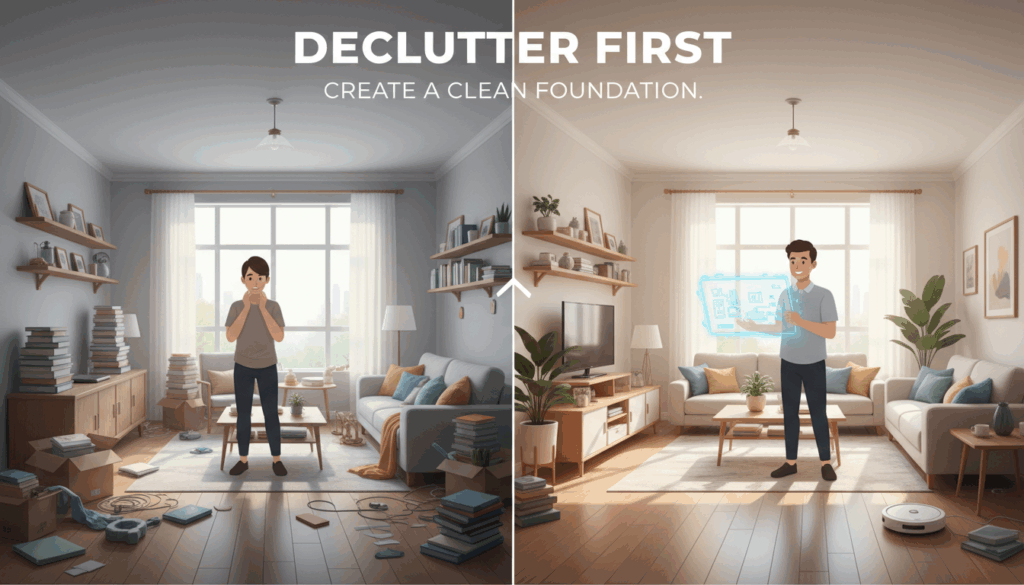
Before thinking about layout, furniture placement, or design style, it is essential to start with decluttering. A room filled with unnecessary items limits how much flexibility you have when designing the space. Even the best layout will feel cramped if the room is overloaded with objects that no longer serve a purpose.
Decluttering creates both physical and mental clarity. When fewer items compete for attention, it becomes easier to evaluate what the room actually needs. This step lays the groundwork for every decision that follows, from storage solutions to furniture arrangement.
How to Declutter Your Room Effectively
A practical approach to decluttering is to work in stages rather than trying to do everything at once. Start by grouping items into clear categories such as daily essentials, occasional-use items, and rarely used belongings. This makes it easier to identify what truly deserves space in your room.
As you declutter, ask simple questions: Does this item support the main function of the room? Would I miss it if it were gone? Items that don’t clearly add value can be donated, stored elsewhere, or removed entirely.
Decluttering with Future Layout in Mind
Decluttering is not just about removing items—it is also about preparing the room for better design. Clearing excess furniture and decor reveals the true proportions of the space, which is crucial for planning an efficient layout later.
A cleaner room also leads to better results when using AI-based design tools. With fewer visual distractions, AI Room Design tools can analyze the space more accurately, resulting in layout suggestions that feel more realistic and usable.
Define the Function of Your Room
Why Room Function Comes Before Layout
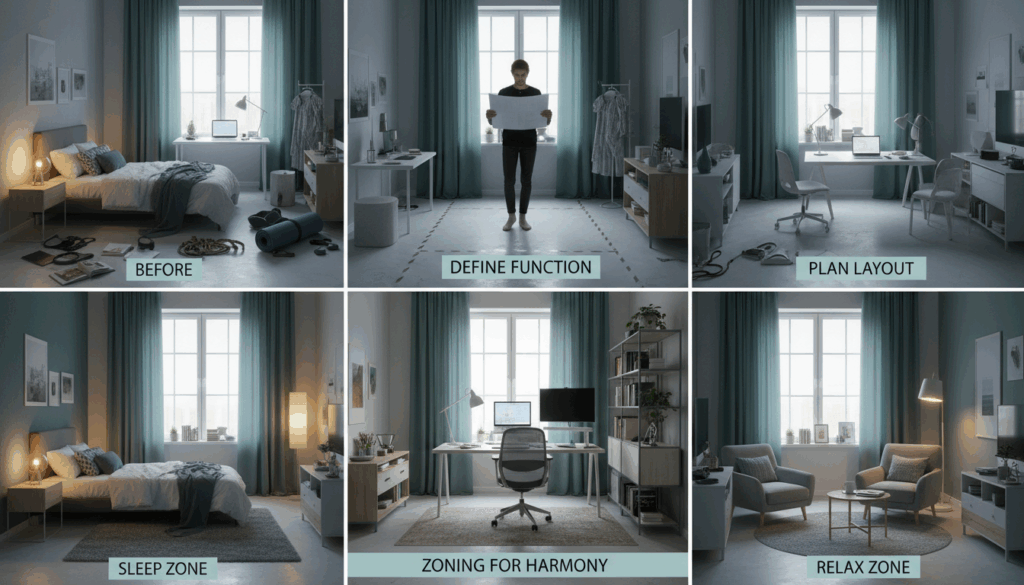
One of the most common mistakes in room design is starting with furniture placement before defining how the room will actually be used. Without a clear purpose, even a visually appealing layout can feel uncomfortable or inefficient in daily life.
Defining the function of your room helps guide every design decision that follows. It determines what furniture is necessary, how much storage is required, and how open or structured the space should be.
Single-Purpose vs. Multi-Purpose Rooms
Some rooms have a single, clear function, such as a bedroom used only for rest or a living room designed mainly for social activities. In these cases, design is relatively straightforward, as all elements support one primary goal.
However, many modern homes require rooms to serve multiple purposes. A bedroom might also function as a workspace, or a living room might double as a content creation area. When this happens, intentional planning becomes even more important.
Using Zoning to Maintain Order
Zoning is a practical technique that helps multi-purpose rooms stay designed. By dividing the room into visual or functional zones, you prevent activities from overlapping in a chaotic way. Furniture placement, lighting, rugs, and even wall colors can all help define separate zones within the same space.
Clear zoning not only improves design but also makes the room easier to maintain over time. Each area has a defined role, which naturally limits clutter and confusion.
Choose the Right Style for Your Space
Why Interior Style Affects Design
Interior style is not just about visual preference; it directly influences how designed a room feels. Different styles encourage different levels of simplicity, storage, and decoration. Choosing a style that matches your habits makes design easier to maintain in the long run.
For example, minimalist styles naturally reduce clutter, while more decorative styles require thoughtful storage planning to avoid visual overload. Understanding this relationship helps prevent future frustration.
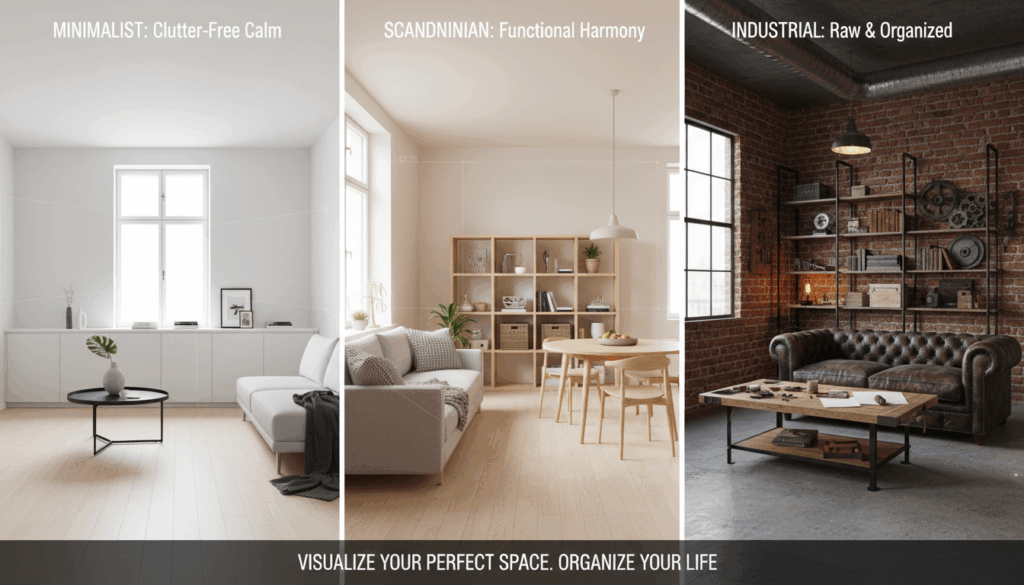
Common Interior Styles and Their Characteristics
Popular interior styles such as modern, minimalist, Scandinavian, industrial, and Japandi each follow specific design principles. Modern and minimalist styles focus on clean lines and open space. Scandinavian design emphasizes brightness and functionality, while industrial styles highlight structure and raw materials.
When choosing a style, it’s important to consider not only aesthetics but also lifestyle. A style that looks appealing online may not be practical for everyday use in your own space.
Visualizing Style Choices Before Commitment
One of the biggest challenges in room design is committing to a style without knowing how it will actually look in your room. This often leads to mismatched furniture, inconsistent decor, or frequent redesign attempts.
AI-powered visualization allows users to preview different styles in their own space before making decisions. By comparing styles side by side, it becomes easier to identify what truly fits both the room and personal preferences.
Plan Your Layout with AI Assistance
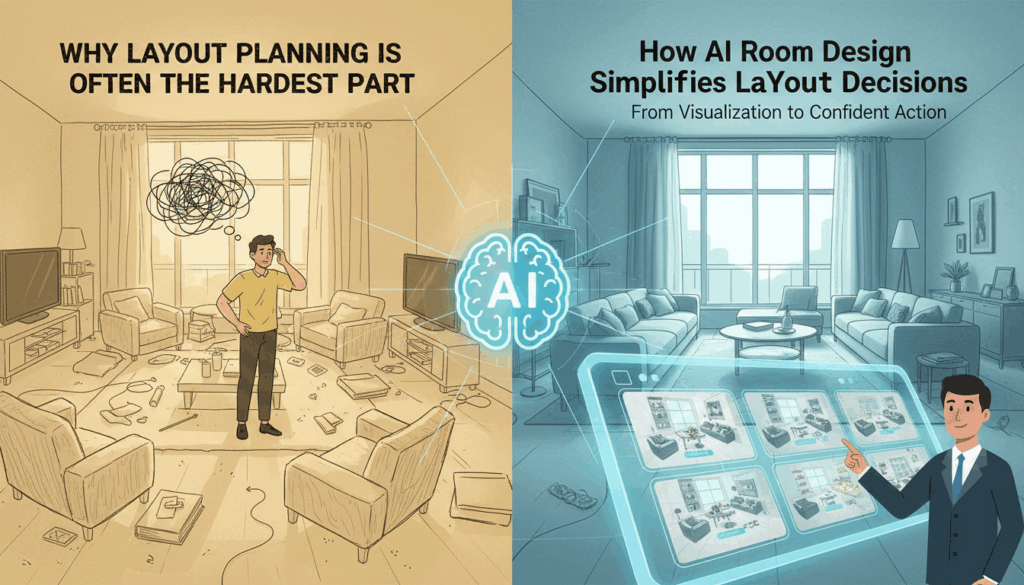
Why Layout Planning Is Often the Hardest Part
After decluttering and defining room function and style, layout planning becomes the most challenging step. Many people know what they want their room to feel like, but struggle to translate that feeling into an effective furniture arrangement.
Common issues include blocking natural light, limiting walking space, or placing furniture in ways that disrupt daily routines. Without a clear plan, people often rely on trial and error, repeatedly moving furniture without achieving a satisfying result.
How AI Room Design Simplifies Layout Decisions
This is where AI Room Design plays a critical role. By analyzing room images and spatial proportions, AI can suggest layout options that balance aesthetics and functionality. Instead of guessing where furniture should go, users receive structured, visual guidance.
AI Room Designer allows users to explore multiple layout variations quickly. You can compare arrangements that prioritize openness, storage, or comfort, and choose the option that best matches your lifestyle. This dramatically reduces uncertainty and saves time.
From Visualization to Confident Action
Seeing a layout before making physical changes builds confidence. When users can visualize how their room will look after redesign, they are more likely to follow through with changes and less likely to second-guess decisions.
Rather than replacing creativity, AI supports better decision-making. It provides a reliable foundation that users can adjust and personalize, making layout planning feel manageable rather than overwhelming.
Adjust, Optimize, and Visualize Before Making Changes
Fine-Tune Your Room Design
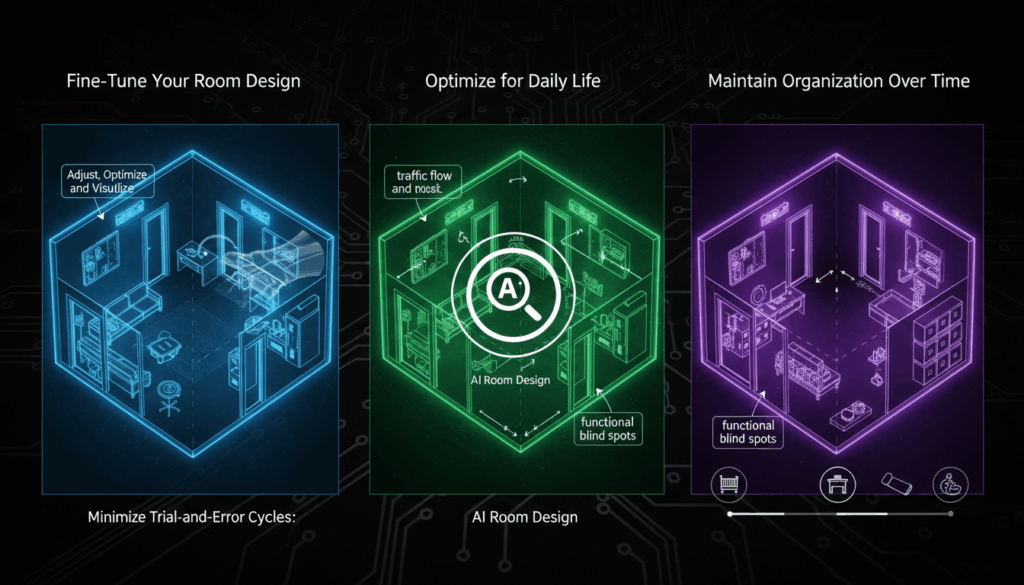
Once you have a base layout generated, small adjustments can make a significant difference in both aesthetics and functionality. Changing the orientation of a sofa, repositioning a desk, or slightly shifting storage units can improve flow and usability.
AI Room Design tools allow you to preview these changes in real time. Unlike trial-and-error in a physical room, you can experiment with multiple variations digitally. This ensures that every adjustment contributes positively to the overall design.
Optimize for Daily Life
Optimization is not just about visual appeal—it is about practicality. Consider traffic flow, accessibility, and daily routines. For example, frequently used items should be easily reachable, while storage for seasonal items can be tucked away.
AI-generated layouts often highlight functional blind spots, such as narrow walkways or underutilized corners. Adjusting these areas before moving furniture in real life saves both effort and potential frustration.
Maintain Design Over Time
An designed room is not a one-time achievement; it evolves with your needs. Periodic updates—like changing furniture for a new lifestyle, adding storage, or altering decor—can disrupt design if not planned carefully.
AI Room Design simplifies this maintenance by allowing users to revisit the design at any time. You can simulate future changes and ensure the room remains designed and functional, minimizing repeated trial-and-error cycles.
How VDraw Helps You Design Your Room
A Simple and Accessible AI Room Design Tool
VDraw offers a practical AI Room Design solution designed for everyday users. The process is straightforward: upload a room photo, select the room type, choose a design style, and receive an instant visual result.
One-Click Upload and Free Room Design
With VDraw, users can start designing without complicated setup or cost barriers. The platform supports free room design, making it accessible to anyone looking to improve their living space efficiently.
Multiple Room Types and Flexible Styles
VDraw supports a wide range of room types, including bedrooms, living rooms, home offices, and more. Users can choose from multiple built-in interior styles or create a custom style if the default options don’t match their preferences.
Why Choose VDraw AI Room Design?
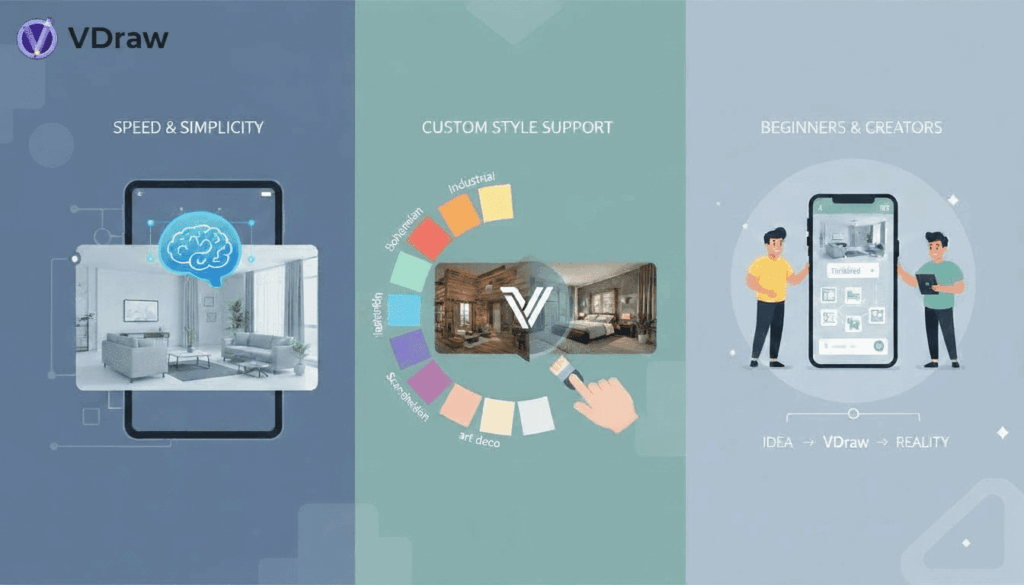
Designed for Speed and Simplicity
VDraw focuses on reducing complexity. Instead of overwhelming users with technical tools, it provides clear visual outputs that are easy to understand and apply.
Custom Style Support for Personal Expression
Unlike many platforms that limit users to preset templates, VDraw allows custom interior styles. This flexibility ensures that your room design reflects your personal taste rather than a generic aesthetic.
Ideal for Beginners and Creators
Whether you’re designing your own space or creating visual content, VDraw works as an intuitive AI Room Designer that delivers professional-looking results without design expertise.
Conclusion
Learning how to design a room effectively requires more than cleaning—it involves planning, visualization, and thoughtful design decisions. AI Room Design transforms this process by making room design visual, efficient, and accessible.
With VDraw, you can explore layouts, experiment with styles, and redesign your space confidently before making real-world changes. If you want a faster and more reliable way to design your room, AI-powered design is the smart place to start.
Transform any room instantly with VDraw's AI Room Design. Generate realistic, stylish interior makeovers in seconds with smart AI technology.
Try AI Room Design