Among the many options available, DeepAI often appears in search results for users looking for fast AI-generated images or simple editing solutions. But is DeepAI truly the best AI Image Editor? Does it provide the level of control that a professional AI Image Editor should offer?
Among the many options available, DeepAI often appears in search results for users looking for fast AI-generated images or simple editing solutions. But is DeepAI truly the best AI Image Editor? Does it provide the control that a professional AI image editor should offer?
This DeepAI review explores the platform’s main features, pricing, and limitations. We also compare it with VDraw, a more creator-focused alternative offering advanced editing control, style customization, and a smoother workflow. By the end, you’ll understand whether this AI Image Editor suits your needs or if VDraw provides a more reliable and professional AI image editing tool solution.
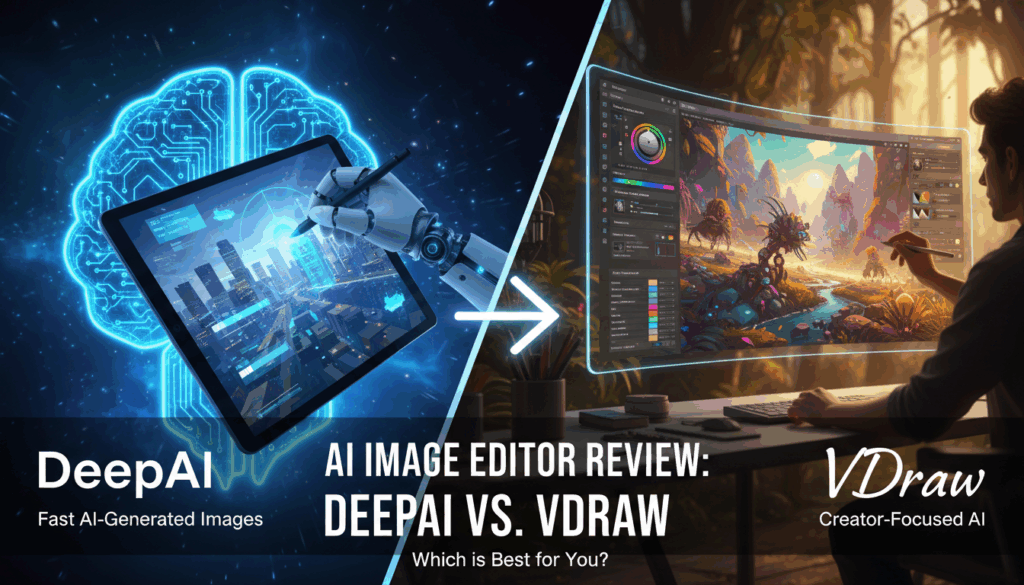
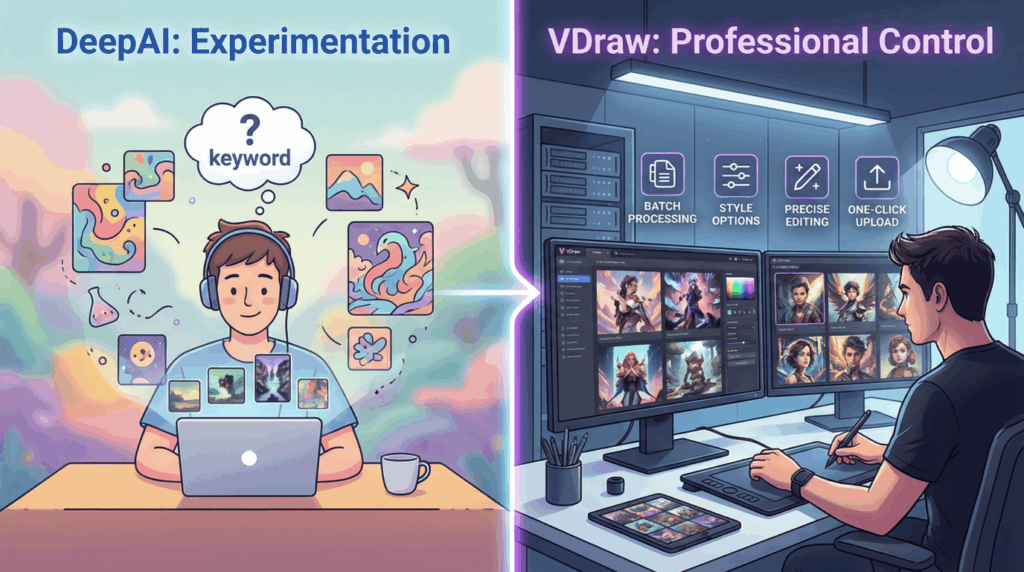
Quick Summary: DeepAI is great for quick, casual AI generation with zero learning curve. However, if you need precision, consistent branding, and batch editing, VDraw is the superior choice for professional creators.
What Is DeepAI?
Overview of DeepAI
DeepAI is an online AI platform offering text generation, image generation, and basic editing. Its AI Image Editor enables users to quickly create or modify visuals as a versatile AI image editor using pre-trained models, bypassing the need for traditional design software.
This AI Image Editor prioritizes accessibility and speed. Users can work directly in-browser using simple prompts, letting the AI handle the creative process without complex interfaces or installations. This makes DeepAI an attractive AI image editor for beginners seeking low-effort visual experimentation.
However, DeepAI focuses on automation over control, making it ideal for rough concepts or experimental outputs. It is not built to replace a professional-grade AI image editor that supports detailed adjustments, consistent styles, or structured editing workflows.
Who Is DeepAI Best For?
DeepAI suits users prioritizing speed over precision. Casual creators, students, and developers needing fast visuals without deep customization may find this AI Image Editor sufficient for their needs.
As creative requirements grow, limitations become more noticeable. Marketing and branding professionals require stronger control over details and consistency, where DeepAI can feel restrictive compared to a specialized AI Image Editor.
Understanding who this AI Image Editor is built for helps set realistic expectations. While it serves as an accessible entry point, it may not support the flexibility and refined outputs required in a professional AI Image Editor workflow.

DeepAI Features Overview
Core AI Image Generation Capabilities
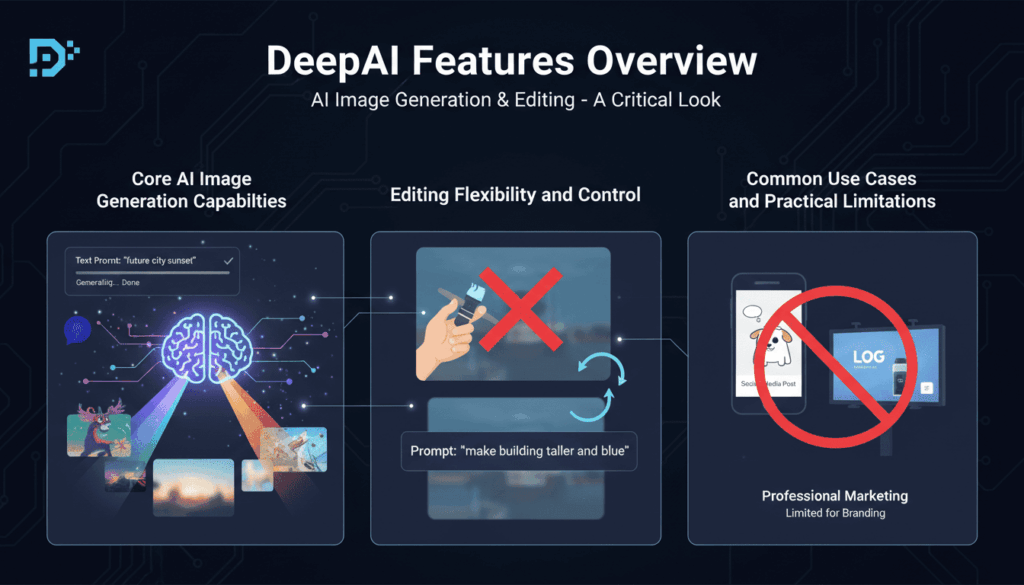
DeepAI’s core strength lies in its AI-driven image generation. Users can create images by entering short text prompts, allowing the system to interpret ideas and generate visuals automatically. This makes the AI Image Editor useful for brainstorming, quick mockups, and generating rough visual concepts without starting from scratch.
The image generation process is relatively fast, and results are usually produced within seconds. For simple prompts, DeepAI can generate visually acceptable images that are suitable for casual use. However, the output quality can vary depending on prompt clarity, and achieving consistent results often requires repeated attempts.
Compared to more advanced AI Image Editor Free tools, DeepAI offers limited control over generation parameters. Users cannot easily fine-tune styles, compositions, or specific visual elements, which can be a drawback for creators who need precision rather than experimentation.
Editing Flexibility and Control
When it comes to image editing, this AI Image Editor provides only basic capabilities. Most edits are handled indirectly through prompts instead of direct manipulation. This means users describe the changes they want and rely on the AI to interpret those instructions.
While this approach lowers the entry barrier, it also reduces editing accuracy. Tasks such as adjusting specific areas, refining details, or maintaining visual consistency across multiple images can be challenging. Users who are familiar with structured editing workflows may find this lack of control frustrating.
As a result, DeepAI functions more as a generator than a comprehensive, layer-based AI image editor. It works well for quick transformations but struggles with detailed or repeatable editing tasks.
Common Use Cases and Practical Limitations
DeepAI is commonly used for generating concept images, visual inspiration, and simple creative experiments. This AI Image Editor can also support basic content needs, such as placeholder visuals or informal social media images.
However, limitations become apparent in professional scenarios. The absence of advanced editing tools, limited customization options, and inconsistent output quality make it less suitable for branding, marketing campaigns, or long-term content production.
For users seeking a scalable, reliable AI Image Editor that supports deeper creative control, these constraints often lead them to explore a different AI Image Editor.
DeepAI Pricing
Pricing Overview
This AI Image Editor offers both free and paid options. Users can access core AI Image Editor features without an account, making it easy for beginners to experiment without upfront costs. However, for extensive access, DeepAI provides paid tiers with higher limits and bulk processing capabilities.
As an AI Image Editor, DeepAI typically uses a usage-based pricing model. While this offers flexibility, costs can escalate quickly for heavy users. For those seeking a long-term AI Image Editor for large projects, this investment may become significant over time. Beginners may find it accessible, but professional creators often require a more predictable AI Image Editor cost structure.
Value for Money Analysis
From a value perspective, DeepAI is suitable for casual experimentation or one-off creative tasks. Free users can explore the platform without risk, and the paid options are affordable for low-volume usage. However, compared to more feature-rich AI Image Editors, this AI Image Editor may fall short of being a complete, long-term AI image editor solution.
Users who prioritize speed and simplicity may find the pricing acceptable, especially when compared with professional design software. On the other hand, creators who require advanced editing controls, consistent style outputs, or a more robust workflow may find the paid plans less cost-effective.
In summary, DeepAI provides an accessible entry point for AI-generated images, but its pricing structure and limitations make it better suited for experimentation rather than intensive professional use.

DeepAI Alternative: VDraw
Why Look for a DeepAI Alternative?
While DeepAI offers basic generation, its limitations often prompt users to seek a more professional AI Image Editor. Many creators find its editing control insufficient for detailed adjustments or consistent branding. Furthermore, its prompt-only workflow can feel restrictive for those needing precise results, making it a less ideal AI Image Editor for high-volume professional workflows.
For those seeking flexibility and reliability, upgrading to a robust AI Image Editor becomes necessary. An effective AI Image Editor should combine the simplicity of automation with deep creative control, supporting multiple formats and customizable styles to meet diverse professional needs.
Introducing VDraw
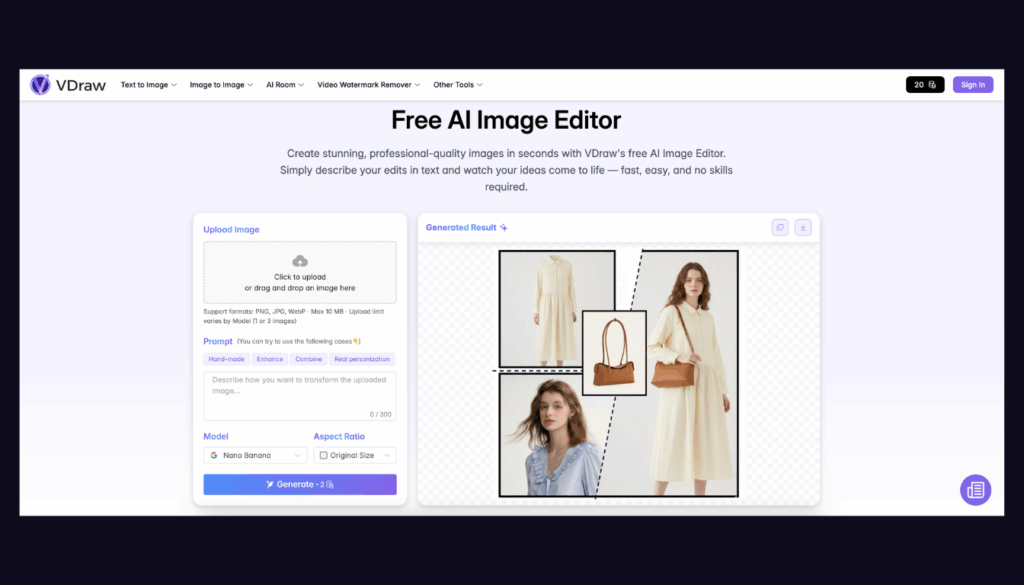
VDraw is a next-generation AI Image Editor designed to address the shortcomings of platforms like DeepAI. It provides users with a more intuitive and powerful experience, offering one-click image upload, free AI-driven editing, and support for multiple image formats. Creators can experiment with various visual styles or even customize styles to achieve a unique look, making it the perfect AI Image Editor for both casual and professional users.
Unlike DeepAI, VDraw emphasizes precision and flexibility. Users can control detailed edits, adjust style parameters, and maintain consistency across multiple images, ensuring that creative outputs match expectations. The platform also supports batch processing and advanced customization, which is particularly valuable for content creators, marketers, and designers working on larger projects.
By providing a more balanced combination of automation and control, VDraw offers a compelling alternative to DeepAI. It allows users to save time, reduce repetitive trial-and-error, and achieve professional-looking results without requiring extensive design expertise.
What Is the VDraw AI Image Editor?
Overview of VDraw AI Image Editor
VDraw is a powerful and user-friendly AI Image Editor designed for creators who want both speed and precision in their visual content. Unlike basic AI platforms, VDraw provides a seamless workflow that allows users to upload images, apply AI-driven edits, and generate high-quality outputs in just a few clicks. The platform is accessible via browser, meaning this online AI image editor requires no software installation, and it is suitable for users of all skill levels—from beginners experimenting with AI to professional content creators seeking efficient editing solutions.
The main goal of VDraw is to combine automation with creative control. Users can quickly enhance images, apply artistic effects, or transform visuals to match specific styles while retaining the ability to fine-tune details. This balance makes VDraw more versatile than traditional AI editors, which often prioritize speed over precision.
Key Advantages of VDraw
As a leading AI image editor, VDraw offers several standout features that differentiate it from competitors like DeepAI:
- One-Click Upload and Free Editing: Users can instantly upload images and start editing without any setup or costs, making experimentation fast and easy.
- Multiple Styles and Room for Customization: VDraw supports a wide range of built-in styles and allows users to define custom styles, providing flexibility for any creative project.
- Advanced Control: Unlike a basic AI Image Editor, VDraw allows precise adjustments, layer-based editing, and consistent style maintenance across multiple images.
- Multiple Image Types and Batch Processing: The platform handles various formats and supports batch operations, saving time for creators working on multiple projects simultaneously.
By combining ease of use with powerful editing capabilities, VDraw caters to a broad range of users, ensuring that anyone can create professional-looking visuals efficiently while maintaining full creative control.
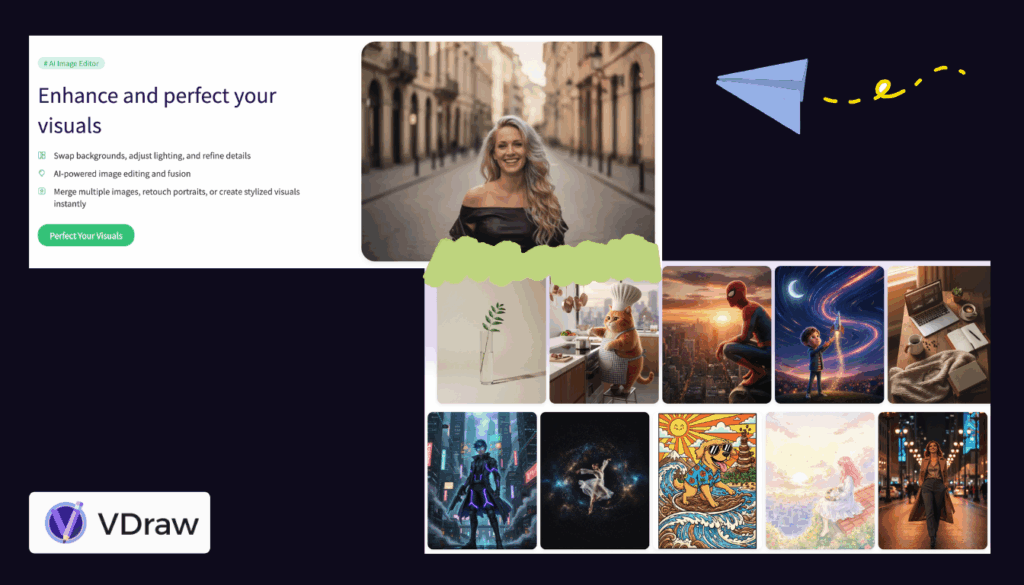
VDraw vs DeepAI: Feature Comparison
Ease of Use
Both platforms are designed to simplify the AI image editor experience AI image editing, but they approach usability differently. DeepAI relies heavily on text prompts, which can be quick for simple tasks but may require trial and error to achieve desired results. VDraw, on the other hand, offers a more intuitive interface with one-click image upload, clear editing tools, and real-time previews. This makes VDraw particularly friendly for beginners and users who prefer visual feedback over textual instructions.
Editing Capabilities
The DeepAI AI Image Editor provides basic editing, focusing mostly on AI-generated transformations based on prompts. Users have limited control over style, details, or composition. The VDraw AI Image Editor significantly expands these capabilities, offering precise adjustments, customizable styles, and layer-based editing options. Whether adjusting color tones, applying artistic effects, or refining specific areas, VDraw gives users the control they need to produce professional-quality images consistently.
Output Quality and Consistency
While DeepAI can generate visually interesting results, output quality can be inconsistent, especially when handling complex prompts or multiple images. VDraw emphasizes consistency, providing high-quality, predictable results across different projects. Its support for multiple styles and customizations ensures that creatives can maintain brand consistency or follow specific visual guidelines without repeated trial-and-error.
Flexibility and Customization
DeepAI is limited in terms of flexibility, supporting mostly preset AI models and standard image formats. VDraw offers more options: users can choose from various AI models, upload different image types, and even define custom styles. This flexibility makes VDraw a superior AI image editor for professional workflows or creators who need to meet specific project requirements.
Batch Processing and Workflow Efficiency
Another key difference is workflow efficiency. This AI Image Editor primarily handles single-image tasks, making it less suitable for projects involving multiple images. VDraw supports batch processing, allowing users to apply edits to multiple images simultaneously. This not only saves time but also ensures consistent results across large sets of visuals, a crucial advantage for marketers, designers, and content creators managing multiple projects.
| Feature | DeepAI | VDraw |
|---|---|---|
| Ease of Use | Simple prompt-based workflow; may require trial-and-error | Intuitive interface with one-click upload and real-time preview |
| Editing Capabilities | Basic editing through prompts; limited control | Precise adjustments, customizable styles, layer-based editing |
| Output Quality & Consistency | Variable results; inconsistent for complex prompts | High-quality, predictable outputs; maintains style consistency |
| Flexibility & Customization | Limited to preset AI models and standard formats | Multiple AI models, custom styles, various image formats |
| Batch Processing | Single-image tasks only | Supports batch processing for multiple images at once |
| Target Users | Beginners, casual experimentation | Beginners to professionals; suitable for consistent, high-quality content |
Conclusion
DeepAI is a useful tool for beginners or casual users who want to experiment with AI-generated images without installing software or learning complex editing workflows. Its prompt-based system allows quick image creation, making it suitable for low-volume tasks and concept generation.
However, for creators seeking more control, consistency, and flexibility, VDraw is the better choice. With features like one-click uploads, multiple style options, batch processing, and precise editing tools, VDraw enables professional-quality results while remaining user-friendly. Overall, DeepAI is a suitable AI Image Editor for experimentation, but VDraw provides a more comprehensive and efficient AI Image Editor experience.